Floor Prints
$49 $69
Floor Prints runs on a Mac with Apple silicon or Intel. There is currently no version for Windows, iPhone or iPad.
You pay once, without an account. And updates are included forever at no extra cost.
Read the manualVersions of an order, side by side
Floor Prints lets you try a set of images in different orders and compare two versions side by side. You lay the whole pool out and drag until the order is right.
You can keep several named versions of the same pool at once and put any two side by side, position by position.
It does not print your book. It writes the decision out as numbered files or a dummy PDF, for whatever you lay out in.
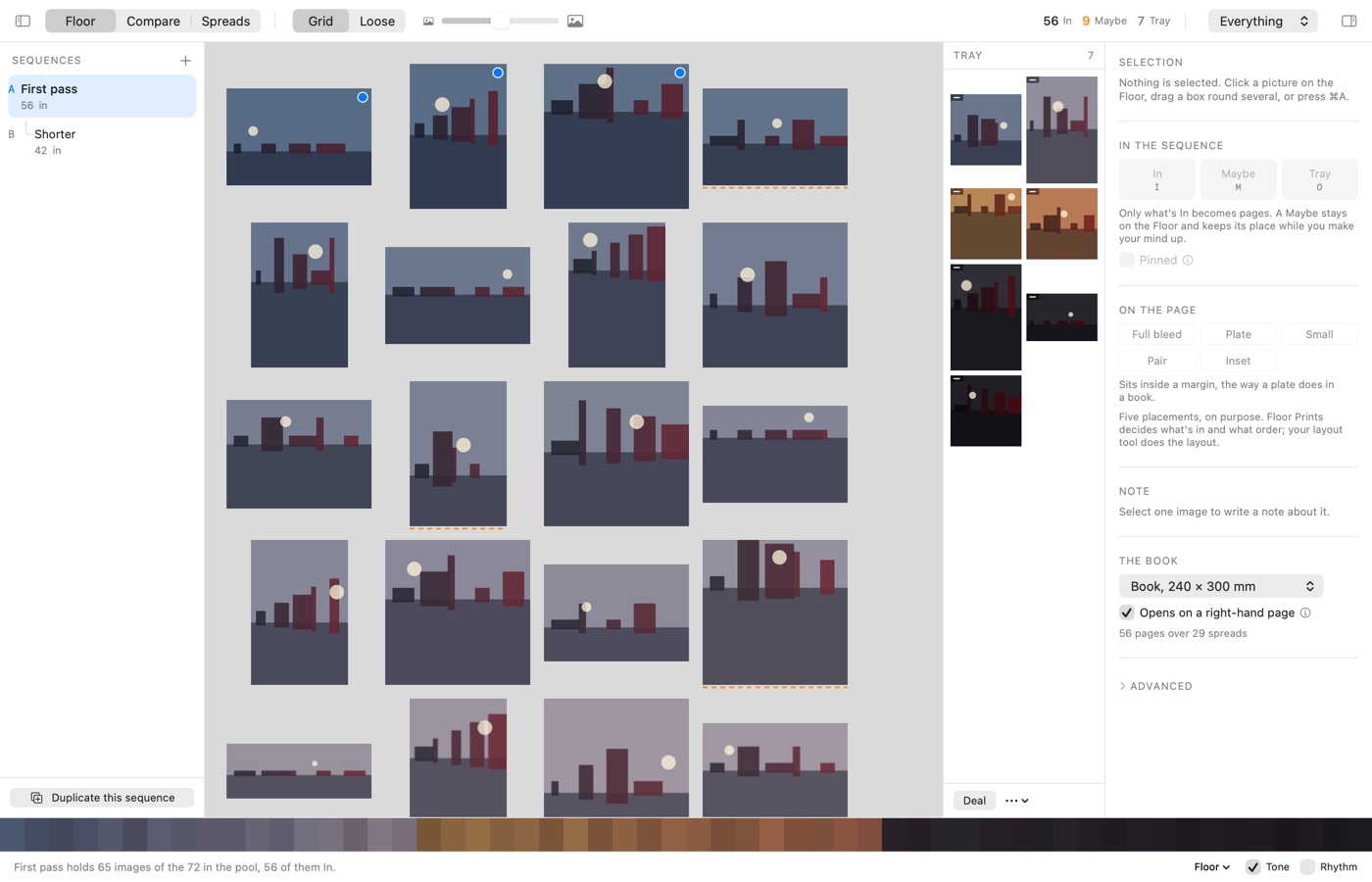
What it is
- ReadsJPEG, PNG, TIFF and HEIC.
- HoldsSeveral named versions over one pool of images.
- ComparesTwo versions side by side, position by position.
- WritesNumbered files, or a dummy PDF at your trim size.
- NetworkOnce a day it asks oddlots.shop whether a newer version exists, and a switch in Settings turns that off. Help › Check for Updates asks whenever you choose. The request names neither you nor the version you have, and nothing downloads until you choose to install.
- NeedsA Mac with Apple silicon or Intel. Tested on macOS 26.
Known problems
A project saved in a subfolder, rather than directly in your projects folder, doesn’t appear in the list Floor Prints opens on. Neither does one whose name ends in .floorprints written with a capital letter, such as .FloorPrints. Seen in 1.0. Keep project files directly in the projects folder, ending in .floorprints in lower case. A project kept anywhere else still opens from the Finder, or with File > Open.
On macOS 12 and 13, when your projects folder is in iCloud Drive, a project that iCloud has moved off your Mac to save space doesn’t appear in the list Floor Prints opens on until it’s downloaded again. Seen in 1.0. Before you open Floor Prints, Control-click the projects folder in the Finder and choose Download Now, so every project in it is on your Mac.
We’re working on these and will have fixes out soon, as a free update. If you find a problem, the report page sends it to support@oddlots.shop.
Every tool is sold under the terms set out in Principles & Terms.